---
title: Recover a Node and Rebalance
description: "After a node has been failed over, it can be recovered:
that is, added back into the cluster from which it was failed over, by means
of the rebalance operation."
pubDate: 2026-08-17T09:53:44.266Z
antora:
editUrl: https://github.com/couchbase/docs-server/edit/release/7.6/modules/manage/pages/manage-nodes/recover-nodes.adoc
xref: xref:7.6@server:manage:manage-nodes/recover-nodes.adoc[]
---
[Consult the llms.txt file for a full list of contents](/llms.txt)
[View original HTML](/server/7.6/manage/manage-nodes/recover-nodes.html)
# Recover a Node and Rebalance
> After a node has been failed over, it can be _recovered_: that is, added back into the cluster from which it was failed over, by means of the _rebalance_ operation.
## [](#understanding-recovery)Understanding Recovery
After failover has occurred, before the failed over node has been rebalanced out of the cluster, the node can be _recovered_, and thereby reintegrated into the cluster. This is useful in circumstances where, following failover, the unhealthy node has been fixed, and is therefore now assumed fit for re-addition.
There are two options for recovery, which are _full_ and _delta_. These are explained in [Recovery](../../learn/clusters-and-availability/recovery.md).
## [](#examples-on-this-page-recover-node)Examples on This Page
The examples in the subsections below show how to perform both _full_ and _delta_ recovery on the same failed over node in the same cluster; using the [UI](#recover-node-with-the-ui), the [CLI](#recover-node-with-the-cli), and the [REST API](#recover-node-with-the-rest-api) respectively. The examples assume:
The examples assume:
* A two-node cluster already exists, as at the conclusion of [Join a Cluster and Rebalance](join-cluster-and-rebalance.md).
* The cluster has the Full Administrator username of `Administrator`, and password of `password`.
## [](#recover-node-with-the-ui)Recover a Node with the UI
Proceed as follows:
1. Access the Couchbase Web Console **Servers** screen, on node `10.142.181.101`, by left-clicking on the **Servers** tab in the left-hand navigation bar. The display is as follows:

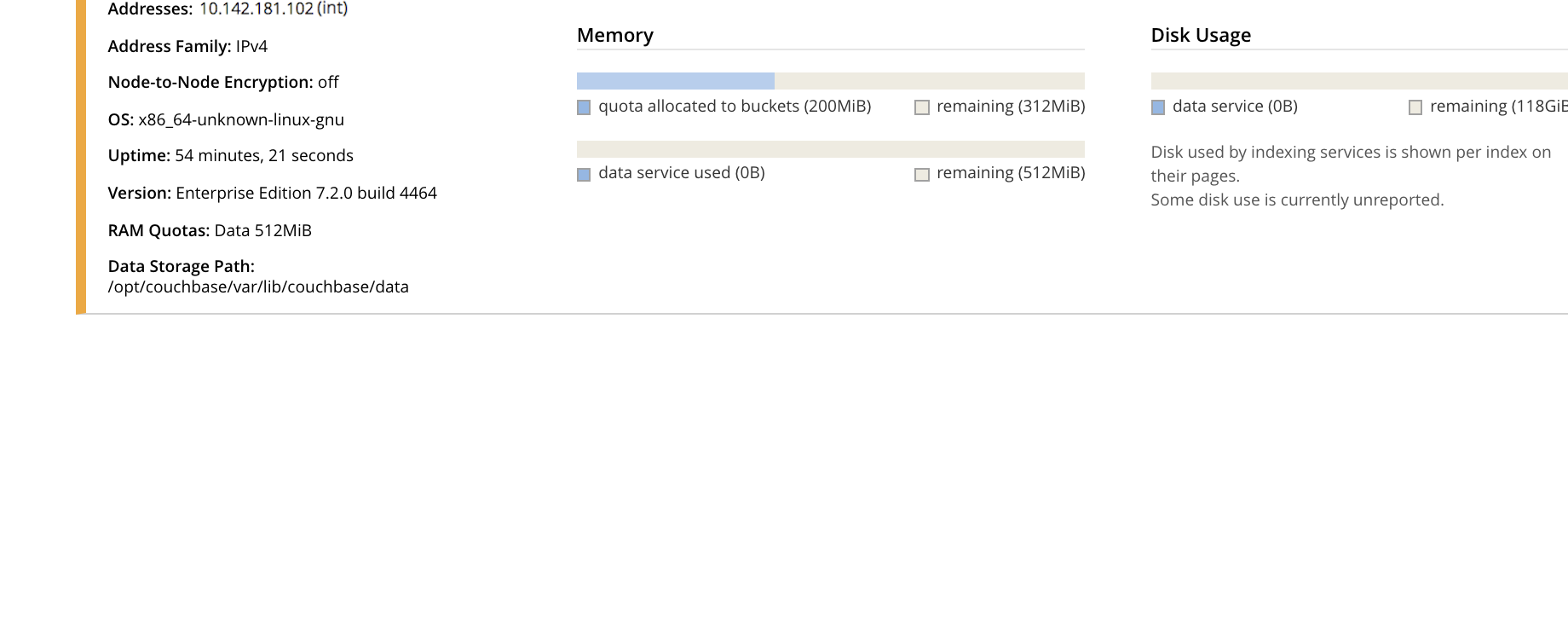
2. To see further details of each node, left-click on the row for the node. The row expands vertically, as follows:
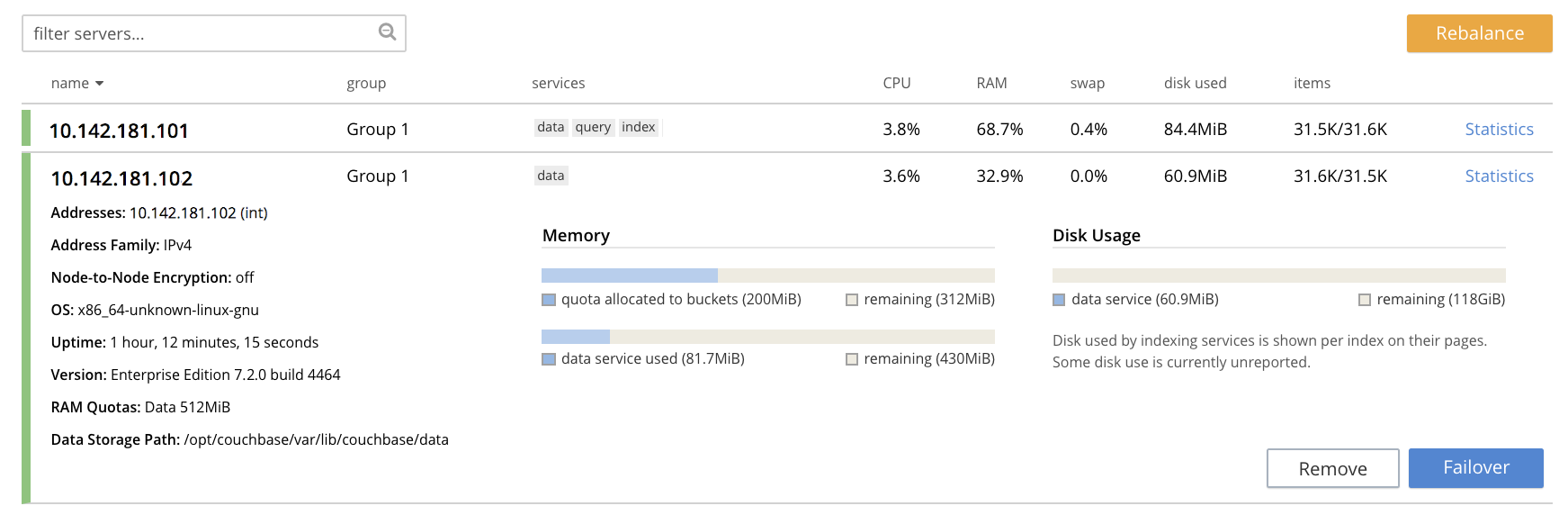
3. To initiate failover, left-click on the **Failover** button, at the lower right of the row for `101.142.181.102`:
The **Confirm Failover Dialog** now appears:
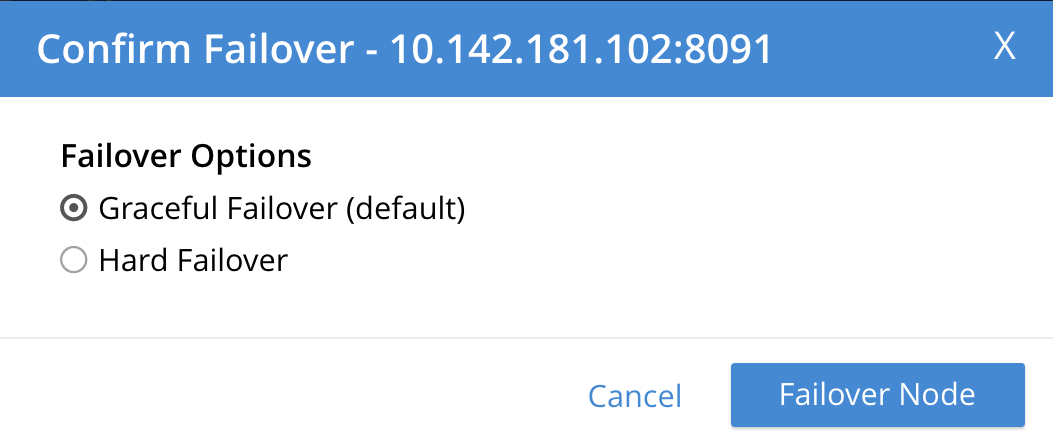
Two radio buttons are provided, to allow selection of either **Graceful** or **Hard** failover. **Graceful** is selected by default.
4. Confirm _graceful_ failover by left-clicking on the **Failover Node** button.
Graceful failover is now initiated. A progress dialog appears new the top of the screen, summarizing overall progress.
For server-level details of the graceful-failover process, see the conceptual overview provided in [Graceful Failover](../../learn/clusters-and-availability/graceful-failover.md).
When the process ends, the display is as follows:
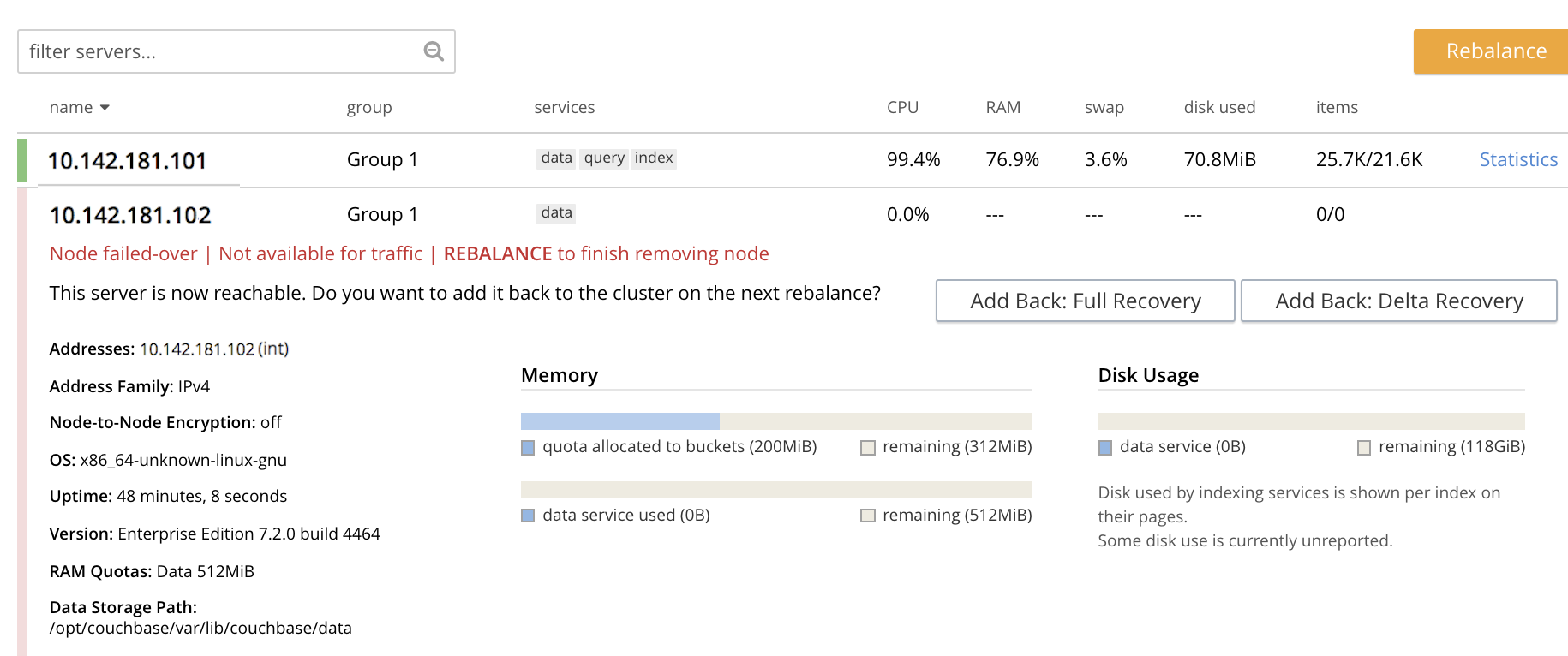
This indicates that the graceful failover has successfully completed. A rebalance is required to complete the reduction of the cluster to one node. Additionally, the **Add Back: Full Recovery** and **Add Back: Delta Recovery** buttons are displayed, towards the left-hand side of the row:

5. Select one of the two available forms of recovery, by left-clicking the corresponding button. Note that _full_ and _delta_ recovery are described in [Recovery](../../learn/clusters-and-availability/recovery.md). If you select _full_, by left-clicking on the **Add Back: Full Recovery** button, the row for `10.142.181.102` is displayed as follows:
The row specifies `REBALANCE to finish full recovery`: therefore, left-click the **Rebalance** button to apply full recovery.
Similarly, left-clicking on the **Add Back: Delta Recovery** displays `REBALANCE to finish delta recovery`. Recovery can be aborted, by left-clicking on the **CANCEL ADD BACK** button.
6. Left-click on the **Rebalance** button. Whichever form of recovery you have chosen, _full_ or _delta_, is performed.
Note that if rebalance fails, notifications are duly provided. These are described in [Rebalance Failure Notification](add-node-and-rebalance.md#rebalance-failure-notification). See also the information provided on [Automated Rebalance-Failure Handling](add-node-and-rebalance.md#automated-rebalance-failure-handling), and the procedure for its set-up, described in [Rebalance Settings](../manage-settings/general-settings.md#rebalance-settings).
## [](#recover-node-with-the-cli)Recover a Node with the CLI
For a node to be recovered with the CLI, it must first be failed over. Perform graceful failover as documented in [Graceful Failover with the CLI](failover-graceful.md#graceful-failover-with-the-cli), as follows:
couchbase-cli failover -c 10.142.181.101:8091 \
--username Administrator \
--password password \
--server-failover 10.142.181.102:8091
To recover the failed-over node, use the `recovery` command, in either of the following ways:
* Perform full recovery:
couchbase-cli recovery -c 10.142.181.101:8091 \
--username Administrator \
--password password \
--server-recovery 10.142.181.102:8091 \
--recovery-type full
* Perform delta recovery:
couchbase-cli recovery -c 10.142.181.101:8091 \
--username Administrator \
--password password \
--server-recovery 10.142.181.102:8091 \
--recovery-type delta
Whichever option you have chosen, if it completes successfully, the command produces the following output:
SUCCESS: Servers recovered
The server must now be rebalanced back into the cluster, as follows:
couchbase-cli rebalance -c 10.142.181.101:8091 \
--username Administrator \
--password password
During rebalance, progress is displayed as console output:
Rebalancing
Bucket: 01/01 (travel-sample) 60714 docs remaining
[===== ] 4.56%
If successful, the command returns the following:
SUCCESS: Rebalance complete
For more information on `rebalance`, see the command reference at [rebalance](../../cli/cbcli/couchbase-cli-rebalance.md). For more information on `recover`, see the command reference at [recovery](../../cli/cbcli/couchbase-cli-recovery.md).
## [](#recover-node-with-the-rest-api)Recover a Node with the REST API
For a node to be recovered with the REST API, it must first be failed over. Perform graceful failover as documented in [Graceful Failover with the REST API](failover-graceful.md#graceful-failover-with-the-rest-api), as follows:
curl -v -X POST -u Administrator:password \
http://10.142.181.101:8091/controller/startGracefulFailover \
-d 'otpNode=ns_1@10.142.181.102'
Note the naming-convention that must be used to reference the node. To output the name of each cluster-node in conformance with this convention, see [Viewing Cluster Details](../../rest-api/rest-cluster-details.md).
To recover the failed over node, use the `recovery` command, in either of the following ways:
* Perform full recovery:
curl -u Administrator:password -v -X POST \
http://10.142.181.101:8091/controller/setRecoveryType \
-d 'otpNode=ns_1@10.142.181.102' \
-d 'recoveryType=full'
* Perform delta recovery:
curl -u Administrator:password -v -X POST \
http://10.142.181.101:8091/controller/setRecoveryType \
-d 'otpNode=ns_1@10.142.181.102' \
-d 'recoveryType=delta'
The server must now be rebalanced back into the cluster. Use the `/controller/rebalance` URI, as follows:
curl -u Administrator:password -v -X POST \
10.142.181.101:8091/controller/rebalance \
-d 'knownNodes=ns_1@10.142.181.101,ns_1@10.142.181.102'
For more information on `/controller/startGracefulFailover`, see [Setting Graceful Failover](../../rest-api/rest-failover-graceful.md). For more information on `/controller/setRecoveryType` see [Setting Recovery Type](../../rest-api/rest-node-recovery-incremental.md). For more information on `/controller/rebalance`, see [Rebalancing Nodes](../../rest-api/rest-cluster-rebalance.md).