The Basics
Create a Database
There is no limit to how many databases can be created or opened on the device. You can think of a database as a namespace for documents and several databases can be used in the same app (one database per user of the app is a common pattern).
The snippet below creates an empty database for a given user in a directory with the same name as the username.
Open the fileLoginModel.cs.
We will review the Task<CouchbaseSession> StartSessionAsync(string username, string password) method.
public async Task<CouchbaseSession> StartSessionAsync(string username, string password) {
  ...
}
We create a folder for the user database if one does not exist and specify that as the database Directory in the DatabaseConfiguration object.
Note the use of the service provider to find the default directory for the platform.
var options = new DatabaseConfiguration();

// Borrow this functionality from Couchbase Lite
var defaultDirectory = Service.Provider.GetService<IDefaultDirectoryResolver>().DefaultDirectory();
var userFolder = Path.Combine(defaultDirectory, username);
if (!Directory.Exists(userFolder)) {
    Directory.CreateDirectory(userFolder);
}

options.Directory = userFolder;
The Couchbase Lite Database is created with specified name and DatabaseConfiguration object
db = new Database(DbName, options);Create and Update a Document
Bookmarked hotels are persisted in a separate document with type of bookmarkedhotels.
The first time a hotel is bookmarked, the bookmarkedhotels document is created with the document ID of that hotel document in the hotels property.
The hotel’s information is persisted in a separate hotels type document.
Subsequently, every time a hotel is bookmarked, the process repeats.
{
  "_id": "hotel1",
  "name": "San Francisco Hotel",
  "address": "123, Park Street, San Francisco"
}

{
  "type": "bookmarkedhotels",
  "hotels": ["hotel1", "hotel2"]
}
Open the fileHotelListModel.cs.
We will review the void ToggleBookmark(HotelListCellModel hotel) method.
public void ToggleBookmark(HotelListCellModel hotel) {
    ...
}
Fetch the document of type bookmarkedhotels.
Don’t worry too much about how you query for document of specific type from the database.
We will examine queries in a future lesson.
Create document of type bookmarkedhotels if one does not exist.
using (var document = UserSession.FetchGuestBookmarkDocument()?.ToMutable()) {
  var doc = document;
  if (document == null) {
      ...

      doc = new MutableDocument(new Dictionary<string, object> {["type"] = "bookmarkedhotels"});
  }
Next, add the ID of the passed hotel to the current list of bookmarked hotel Ids from the hotels property of the bookmarkedhotels document, or remove it based on the current action.
var bookmarked = doc.GetArray("hotels") ?? new MutableArrayObject();
if (hotel.IsBookmarked) {
    // Remove the bookmark
    for (int i = 0; i < bookmarked.Count(); i++) {
        if (bookmarked.GetString(i) == (hotel.Source.ContainsKey("id") ? hotel.Source["id"] as String : null) ){
            bookmarked.RemoveAt(i);
            break;
        }
    }
} else {
    bookmarked.AddString(hotel.Source.ContainsKey("id") ? hotel.Source["id"] as String : null);
}

doc.SetArray("hotels", bookmarked);
UserSession.Database.Save(doc);
Persist the hotel information as separate documents of type hotels (or delete it if this is a bookmark removal). First, determine if the document with specified hotel Id already exists.
If so, update it with the selected hotel details.
If not, create a new hotel document.
// Add the hotel details document
if (hotel.Source["id"] is string id) {
    using (var detailDoc = UserSession.Database.GetDocument(id)?.ToMutable() ?? new MutableDocument(id)) {
        detailDoc.SetData(hotel.Source.ToDictionary(x => x.Key, x => x.Value));
          UserSession.Database.Save(detailDoc);
    }
}
Delete a Document
A document can be deleted using the Delete method.
This operation actually creates a new tombstoned revision in order to propagate the deletion to other clients.
Open the fileBookmarkedHotelModel.cs.
We will review the public void RemoveBookmark(HotelListCellModel bookmark) method.
public void RemoveBookmark(HotelListCellModel bookmark) {
  ...
}
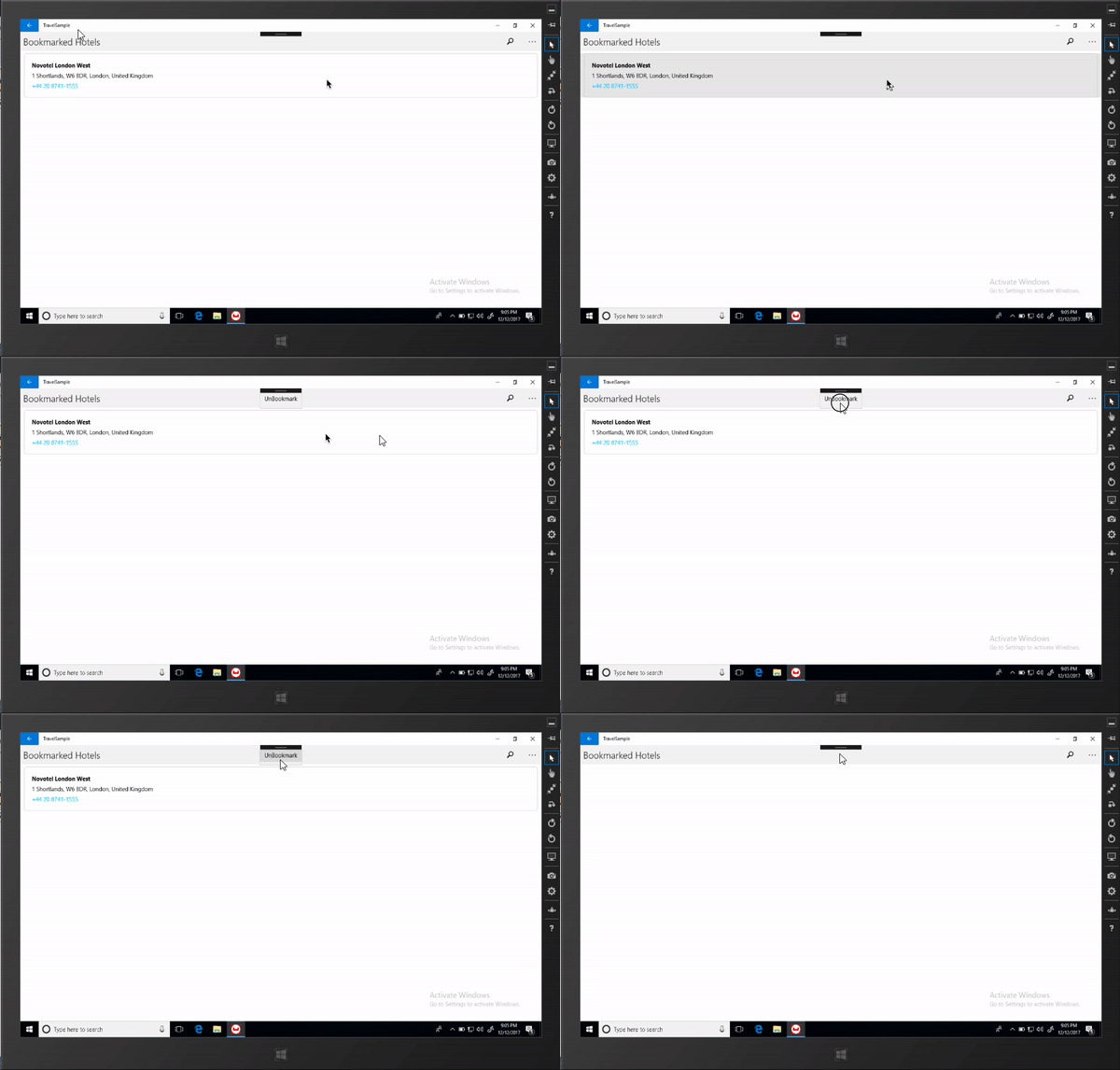
The unbookmarking process removes the hotel Id from the "bookmarkedhotels" document and deletes the unbookmarked "hotels" document from the database.
Note that in addition to deleting the "hotels" document, the unbookmarking process updates the "bookmarkedhotels" document by removing the the hotel Id from the hotels array.
if (bookmark.Source["id"] is string idToRemove) {
    var doc = UserSession.Database.GetDocument(idToRemove);
    if (doc != null) {
        UserSession.Database.Delete(doc);
    }
}