Travel Mobile App
Pre-requisites
Requirements are based on which platform you are using. For Xamarin please follow the Visual Studio, Xamarin, and Platform documentation.
Visual Studio (required for Xamarin Forms csharp)
-
Downloadable from visualstudio.com
-
Visual Studio 2019 (16.9.4 or higher)
-
Visual Studio 2019 for Mac (v8.9 or higher)
NOTE: Visual Studio for Mac does not support UWP projects
-
Windows Users
If you are developing on Windows, we recommend that you use a Windows 10 machine with version 1809 or higher. Also, note that if you choose Manual or docker installation mode, you should also have administrative privileges on the Windows box so you can authorize the installation and running of the required executables.
Mac Users with M1 Processor
Visual Studio and Couchbase are supported on M1 processors via the Rosetta v2 translation layer.
iOS Development
For iOS development, we recommend version of XCode 12.5 or higher. For OS and XCode version compatibility, refer to Apple’s documentation https://developer.apple.com/support/xcode/
Android Development
For Android development, we recommend Google’s IDE Android Studio and running version 4.x or higher. For Android Studio and OS compatibility, refer to Google’s documentation https://developer.android.com/studio#system-requirements-a-namerequirementsa/
Xamarin Development
For Android development, Xamarin always recommends you have the latest Android SDK installed. The latest version should be available from Visual Studio - https://docs.microsoft.com/en-us/xamarin/android/get-started/installation/android-sdk?tabs=windows.
Xamarin Hot Reloaded
To use Hot Reloaded we highly recommend you target iOS v14 or Android 10 or higher. Full documentation can be found on Microsoft’s Documentation site https://docs.microsoft.com/en-us/xamarin/xamarin-forms/xaml/hot-reload
Travel Sample Mobile App
-
Clone the "master" branch of the Travel Sample app from GitHub. We are doing a shallow pull with
depthas 1 to speed the cloning process.git clone -b master --depth 1 https://github.com/couchbaselabs/mobile-travel-sample.git -
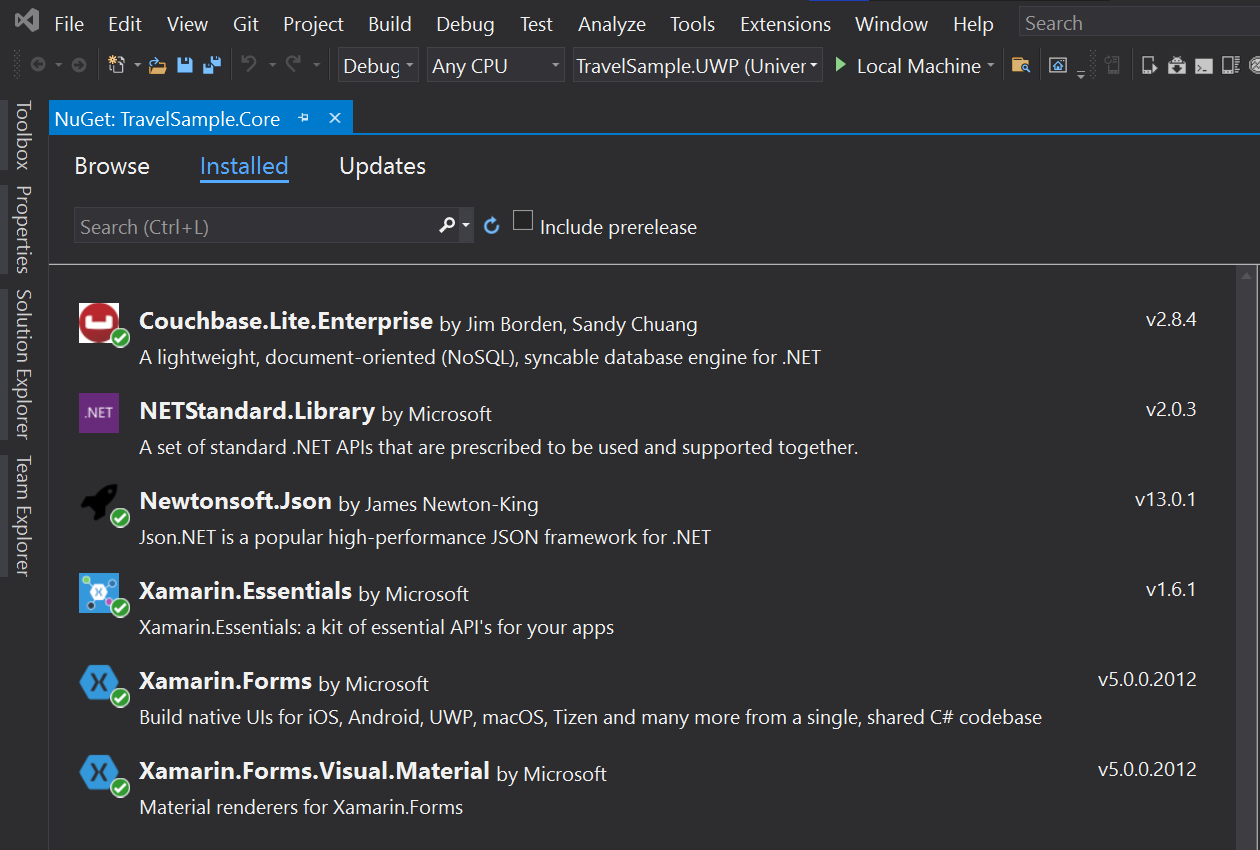
Confirm that the TravelSample.core project is linked with latest version of Couchbase.Lite framework. You should see equivalent of screenshot below with the latest version of Couchbase.Lite Core framework under the "installed" section of the nuget package manager.
-
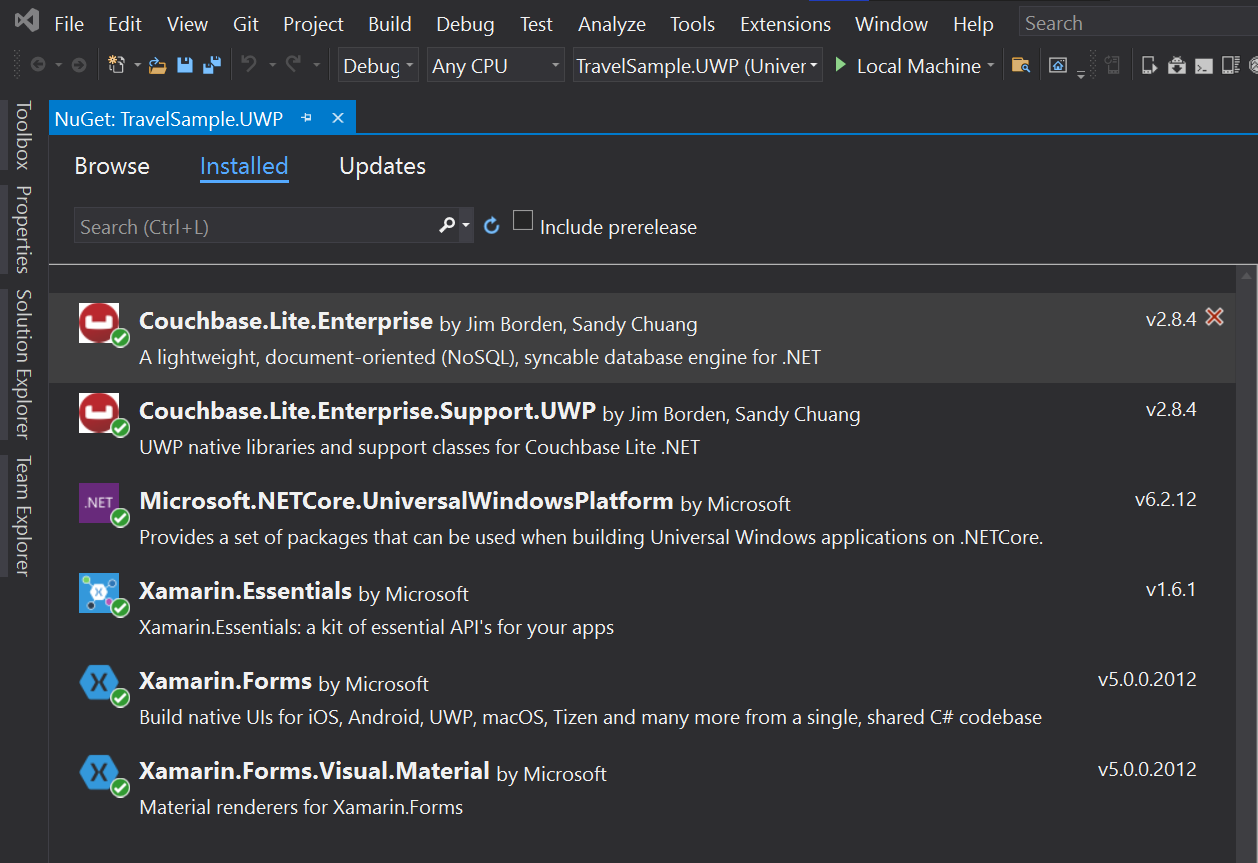
Confirm that the TravelSample.UWP project is linked with latest version of Couchbase.Lite and Couchbase.Lite.Support.UWP framework. You should see equivalent of screenshot below with the latest version of Couchbase.Lite core framework and Couchbase.Lite.Support.* support framework under the "installed" section of the nuget package manager.
-
If you were building for Xamarin, verify that the right version of Couchbase.Lite core framework and Couchbase.Lite.Support.Android / Couchbase.Lite.Support.iOS support framework is linked with the appropriate TravelSample.Android or TravelSample.iOS project respectively.
-
Open the
TravelSample.slnusing Visual Studio
Configure App to connect to Backend
You will have to update the URLs specified in the app to connect to the backend If you haven’t done so already, complete the steps outlined in the "Backend Installation" to install your Couchbase Server, Sync Gateway and Python web backend app.
Updating the web backend URL
Open the file Constants.cs under "Util" folder
You must update the ServerBackendUrl constant which points to the Python Web Server.
Now, the URLs that you specify will vary depending on the installation option that you chose for deploying your backend
-
Manual
-
Docker
public static readonly Uri ServerBackendUrl = new Uri("http://localhost:8080/api/");public static readonly Uri ServerBackendUrl = new Uri("http://localhost:8080/api/");Updating the Sync Gateway URL
Next, you will update the Sync Gateway endpoint.
Open the file LoginModel.cs under "Models" folder
You must update the SyncUrl constant.
Now, the URLs that you specify will vary depending on the installation option that you chose for deploying your backend
-
Manual
-
Docker
private static readonly Uri SyncUrl = new Uri("ws://localhost:4984");public static String mSyncGatewayEndpoint = "ws://10.0.2.2:4984/travel-sample";