DocID with regexp in Type Mappings
“Doc ID with regexp” is another way the search service allows the user to extract “type identifiers” for indexing.
-
Set up a valid regular expression within docid_regexp. Remember this will be applied on the document IDs.
-
Choose a type mapping name that is considered a match for the regexp.
-
The type mapping name CANNOT be a regexp.
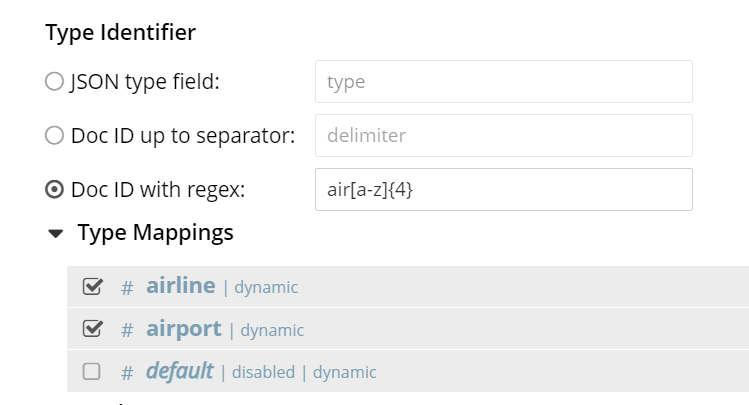
For example, while working with the travel-sample bucket, set up docid_regexp to air[a-z]{4} and use the following type mappings.
* airline
* airport
Below is a full index definition using it. { "name": "airline-airport-index", "type": "fulltext-index", "params": { "doc_config": { "docid_prefix_delim": "", "docid_regexp": "air[a-z]{4}", "mode": "docid_regexp", "type_field": "type" }, "mapping": { "default_analyzer": "standard", "default_datetime_parser": "dateTimeOptional", "default_field": "_all", "default_mapping": { "dynamic": true, "enabled": false }, "default_type": "_default", "docvalues_dynamic": false, "index_dynamic": true, "store_dynamic": false, "type_field": "_type", "types": { "airline": { "dynamic": true, "enabled": true }, "airport": { "dynamic": true, "enabled": true } } }, "store": { "indexType": "scorch", "segmentVersion": 15 } }, "sourceType": "gocbcore", "sourceName": "travel-sample", "sourceParams": {}, "planParams": { "indexPartitions": 1 } }
So setting this as the index definition would index all attributes of documents with “airline” or "airport" in its document IDs.
Note: The golang regexp support is based on Access the github link